



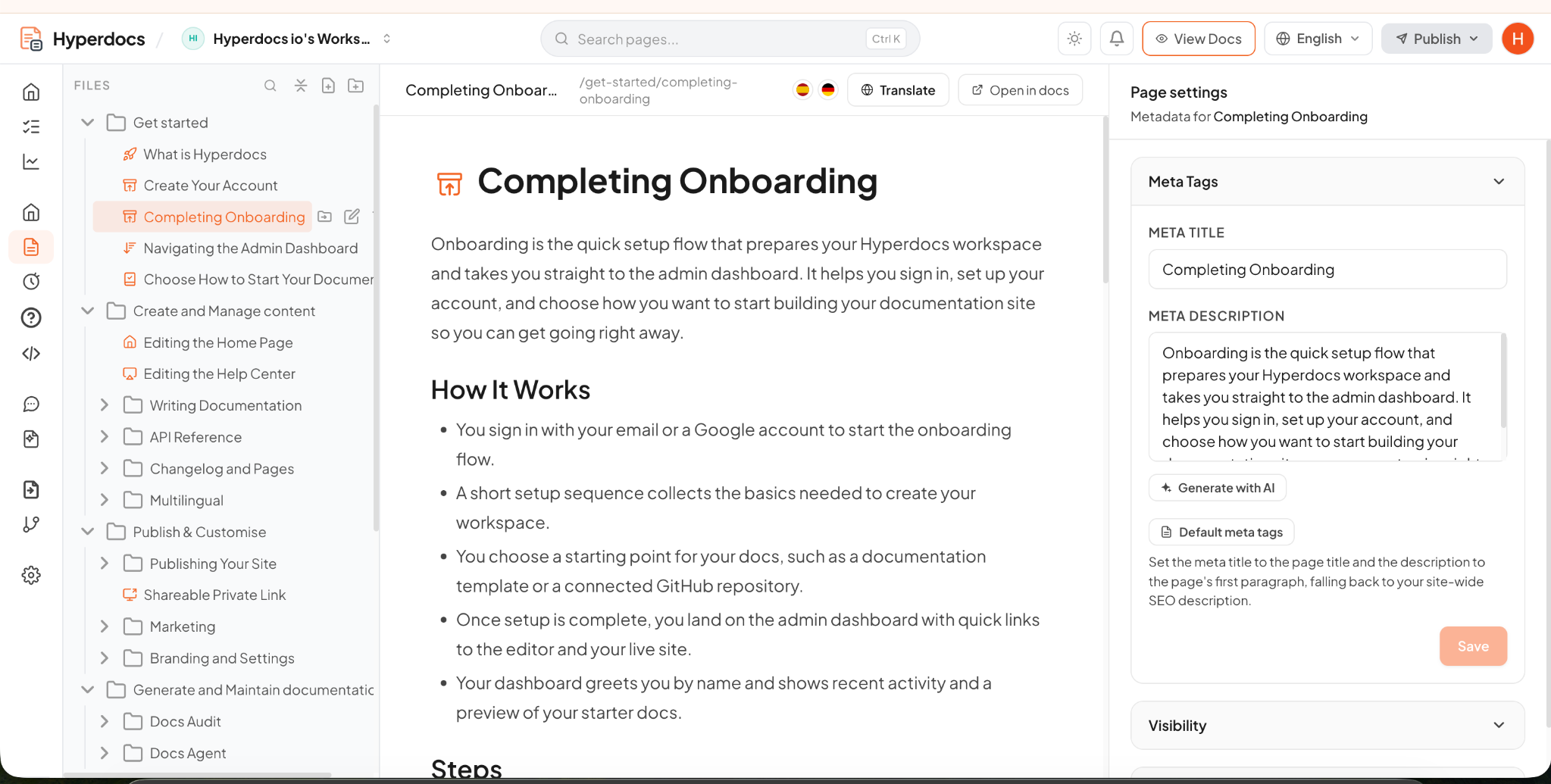
Write in a powerful editor.
Build articles and organize the help experience your users need, with full control over the final content.
AI DOCUMENTATION PLATFORM FOR SAAS TEAMS
Create product docs, help centers, API references, and changelogs in one place. Keep them current, answer users where they need help, and see what your documentation is missing.
OUR CUSTOMERS
ONE PLATFORM
Publish the right experience for readers, developers, and customers, then let Answer Agent help them find the right answer.
Write guides, onboarding steps, and feature documentation in a structured experience that’s easy to browse and search.
Explore product docs →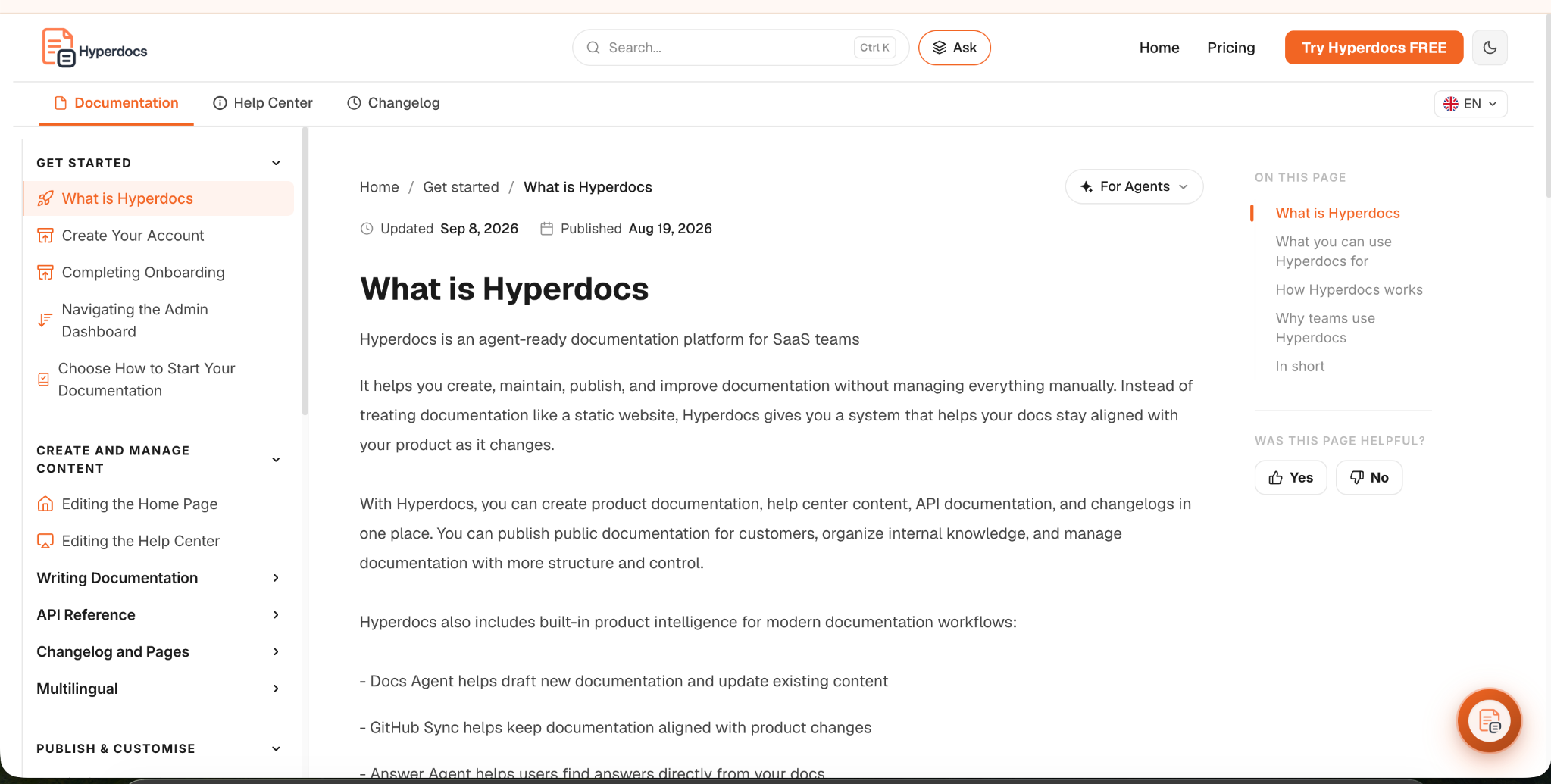
Give common questions and step-by-step help their own searchable home, designed around what users need to do.
Explore Help Center →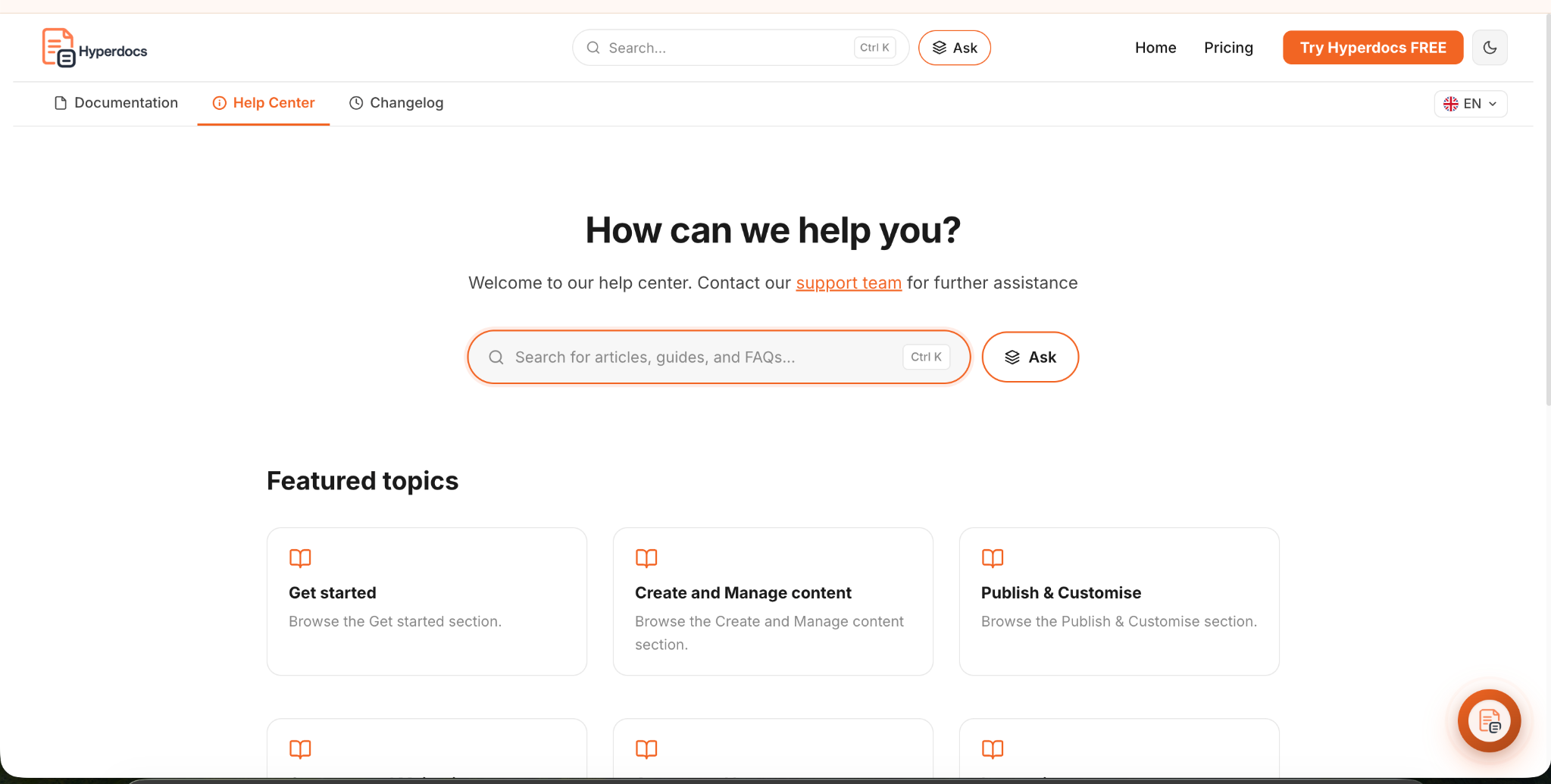
Keep endpoint references, parameters, code examples, and the guides around them together for developers.
Explore API docs →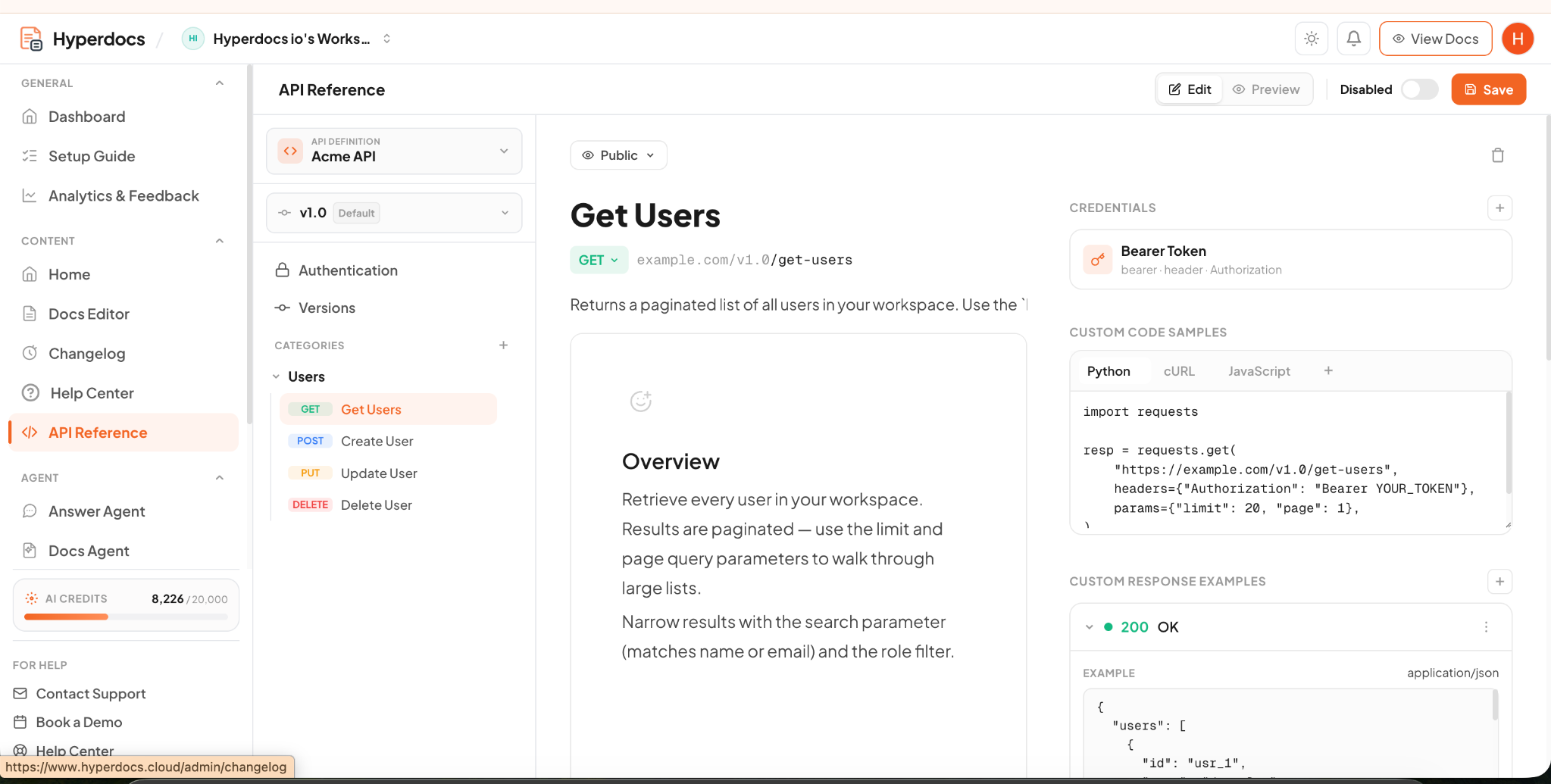
Publish product changes in a dedicated changelog so customers can see what improved and what they can try next.
Explore changelog →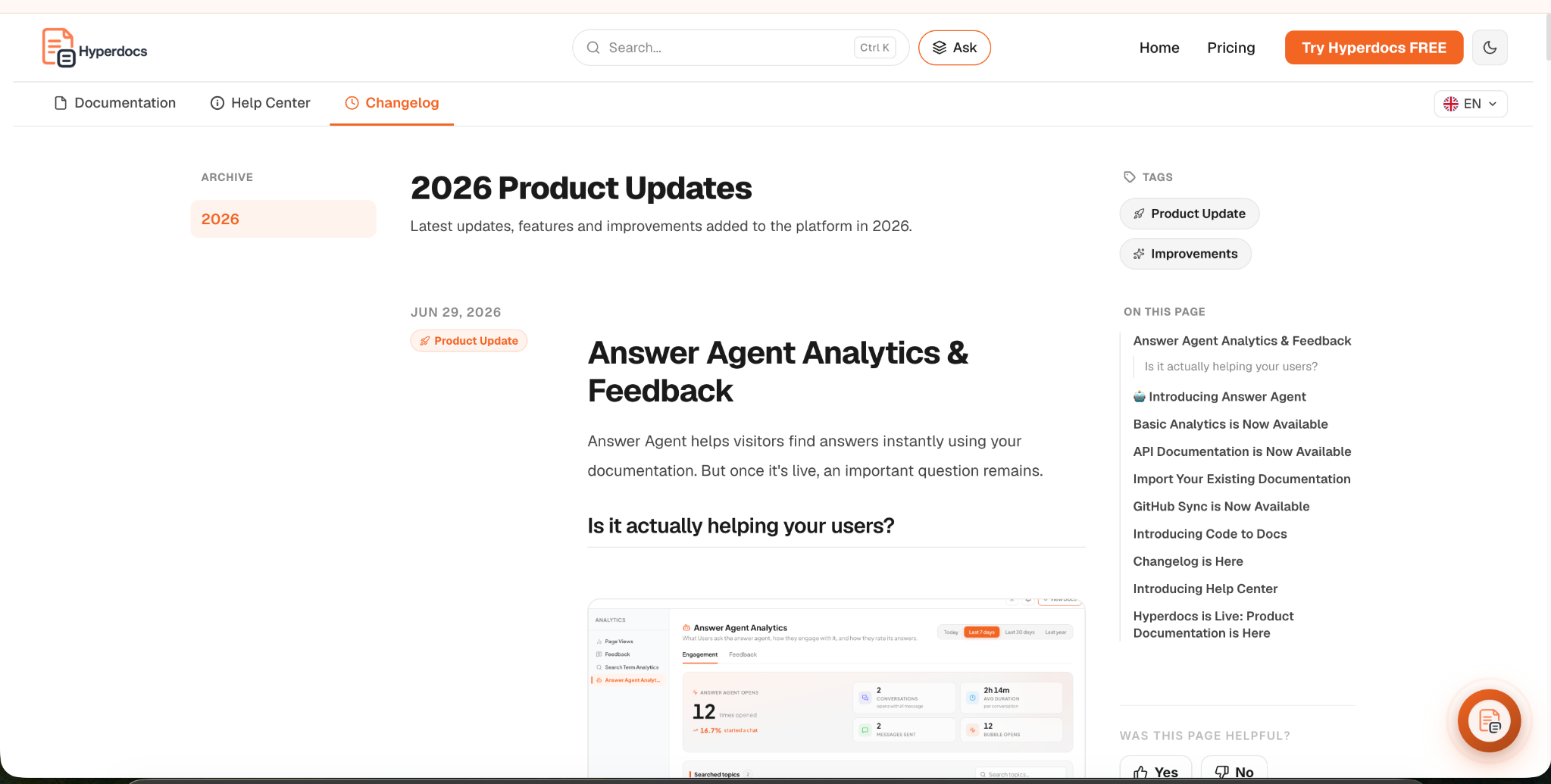
Answer Agent responds from your published documentation and points readers to the information behind its answer.
Explore Answer Agent →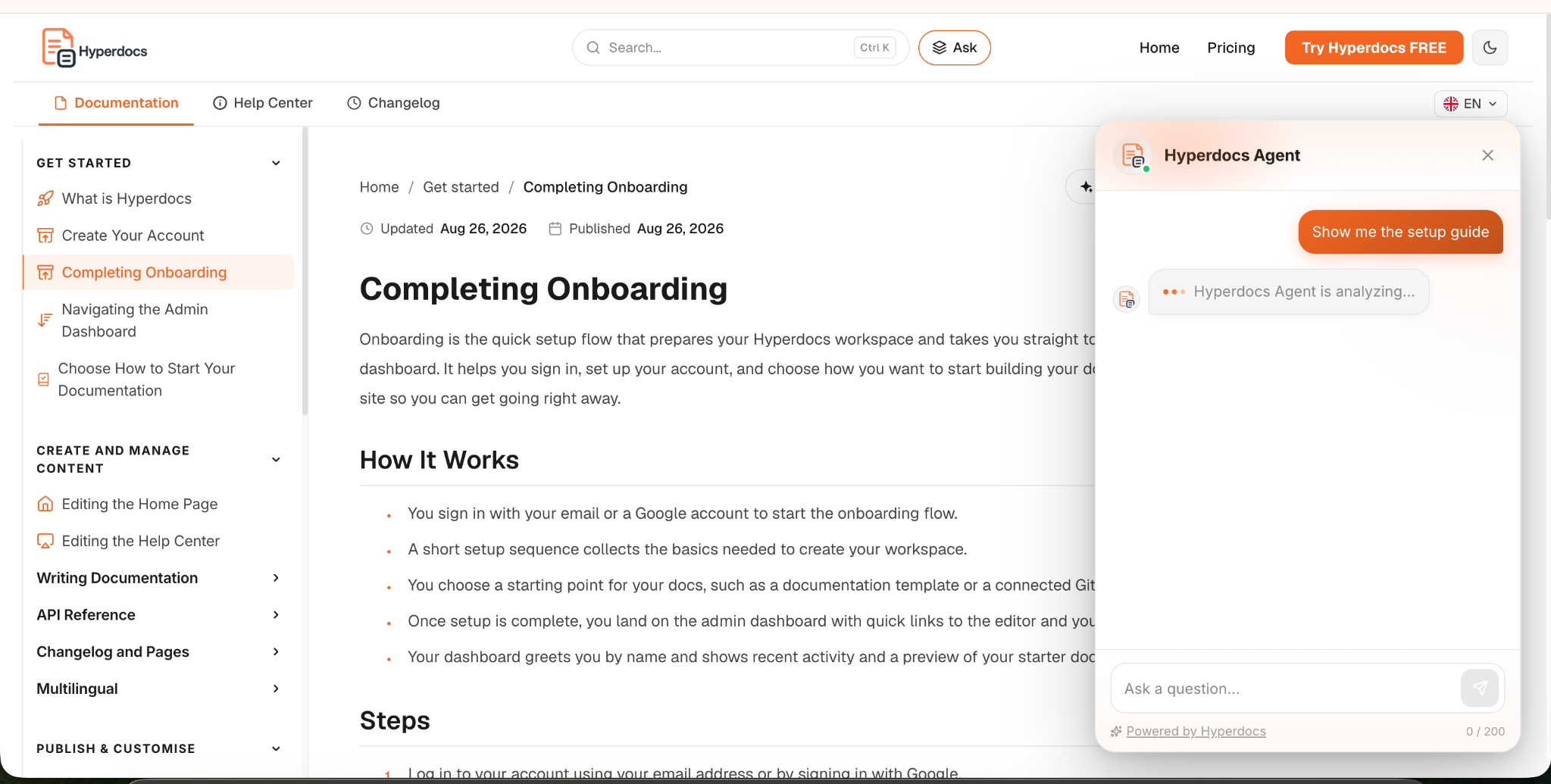
START YOUR WAY
Use what you already have, or start with a blank page. Every route leads to documentation your team can edit and publish.
Build articles and organize the help experience your users need, with full control over the final content.
Connect GitHub and create editable drafts informed by your product and code.
Explore AI Documentation Generator ↗
Import existing content, keep it organized, and continue refining it in Hyperdocs. Move from Mintlify without rebuilding everything by hand.
Explore migration ↗KEEP DOCS CURRENT
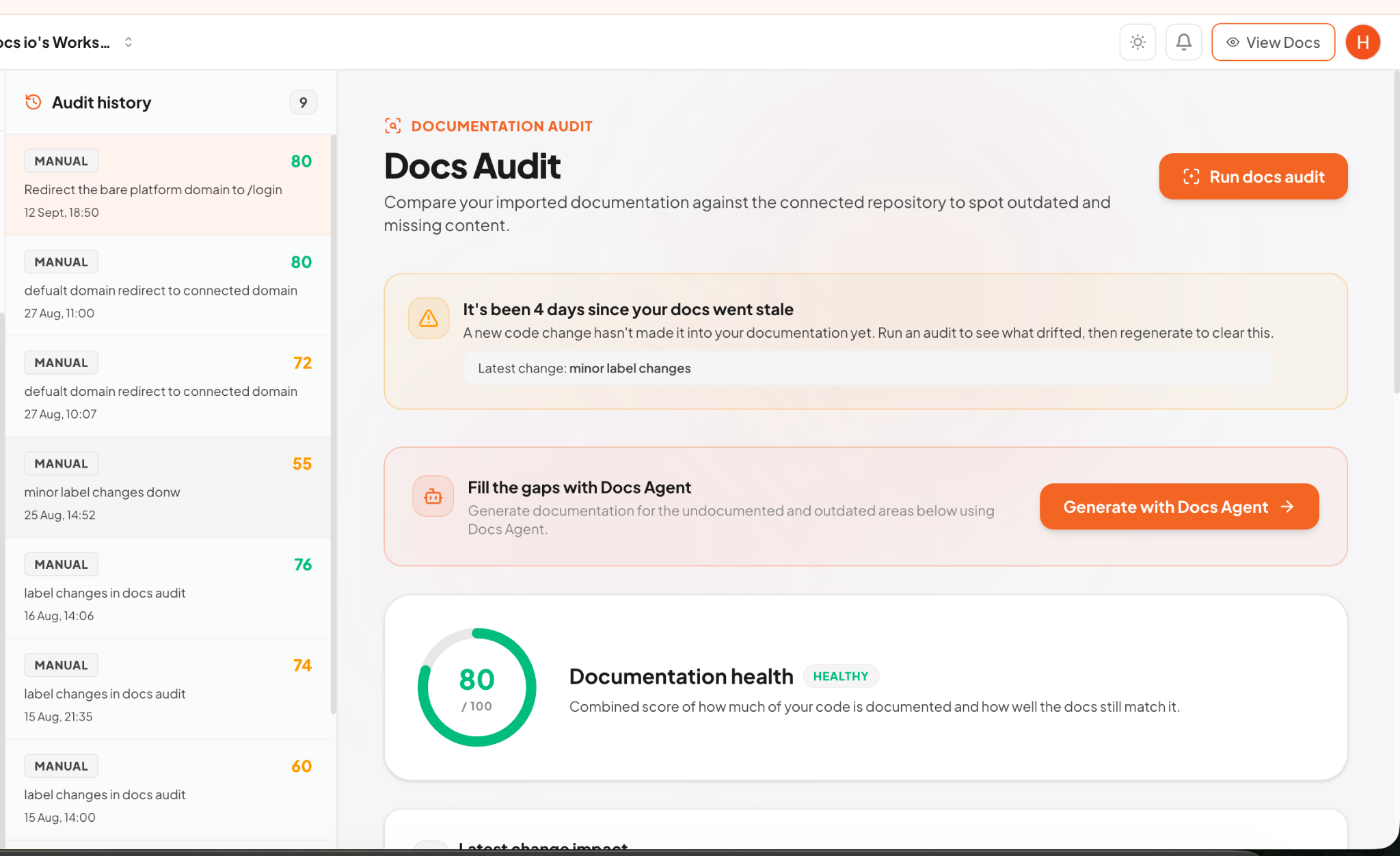
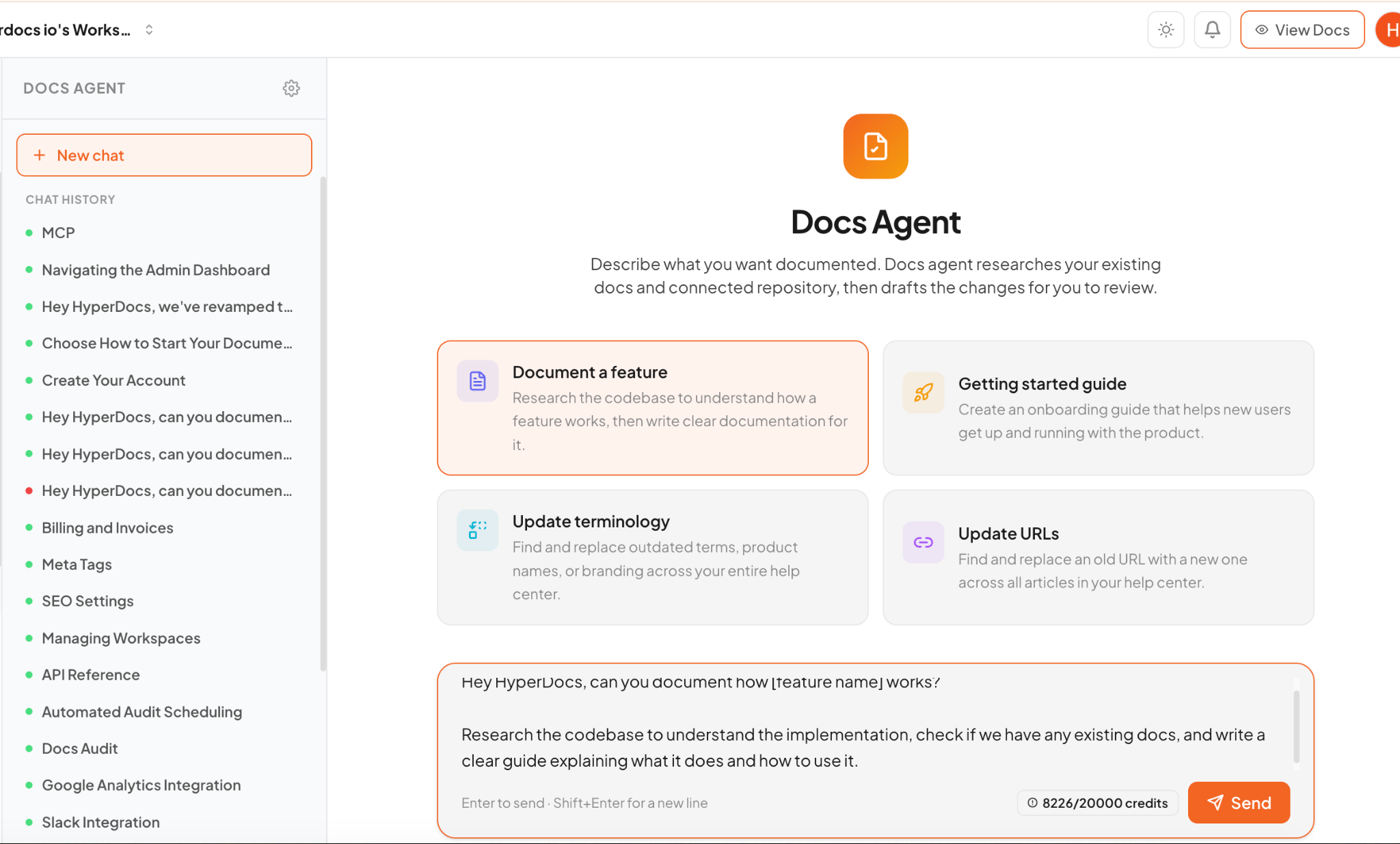
Use GitHub Sync, Docs Audit, and Docs Agent together, or pick the one you need today. Your team reviews every update before publishing.
Changes to onboarding and account setup may affect these guides:
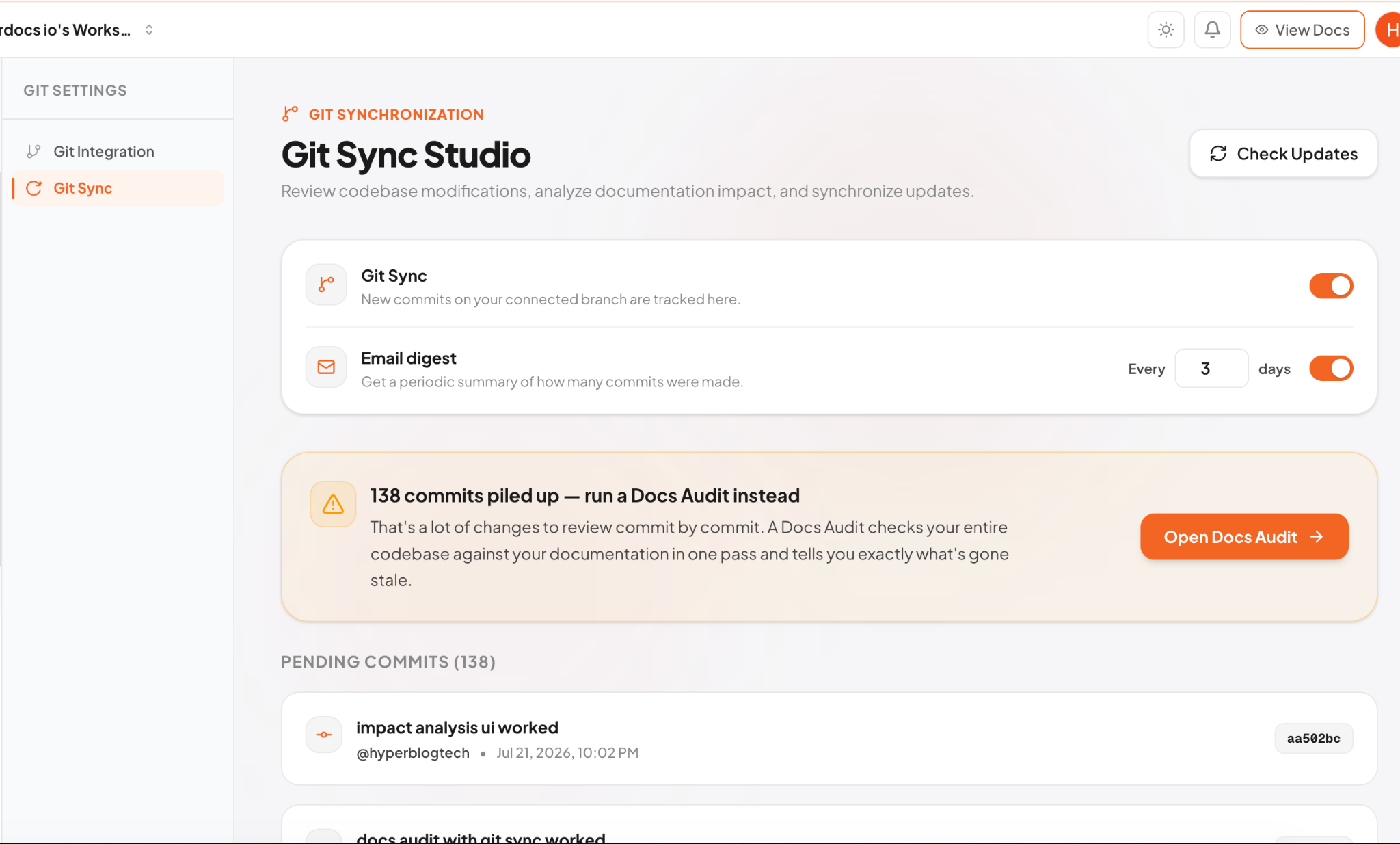
Compare documentation with your connected repository and keep a history of health checks.
Ask Docs Agent to write a missing section, improve wording, or update terminology.
READY WHEN YOU ARE
Start with a page, an import, or your codebase. Add the rest as you grow.
ANSWER AGENT
When people get stuck, Answer Agent responds using your published documentation and gives them a path back to the source. As your customers grow, more repeat questions can be answered there before they reach support.
ANALYTICS & FEEDBACK
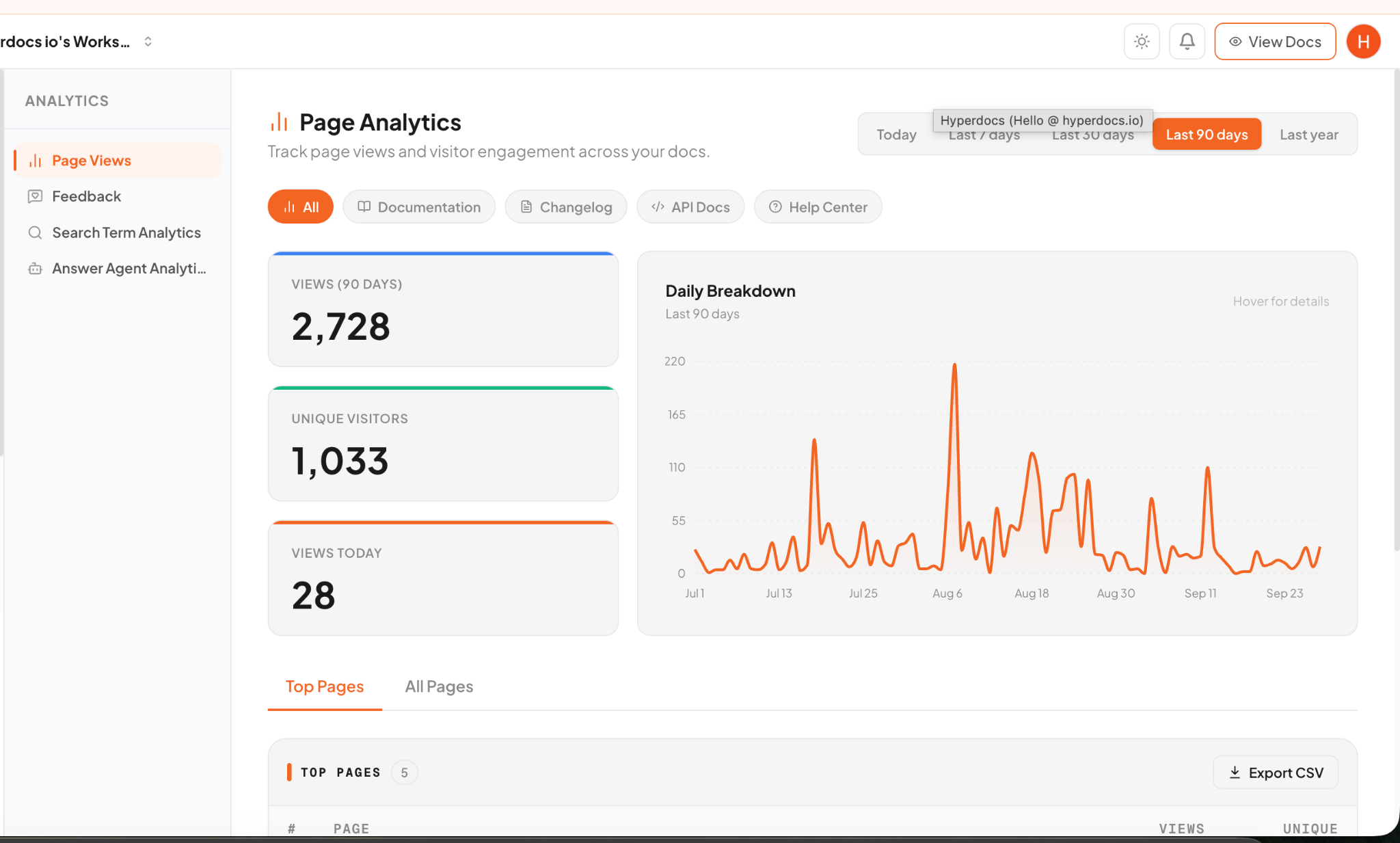
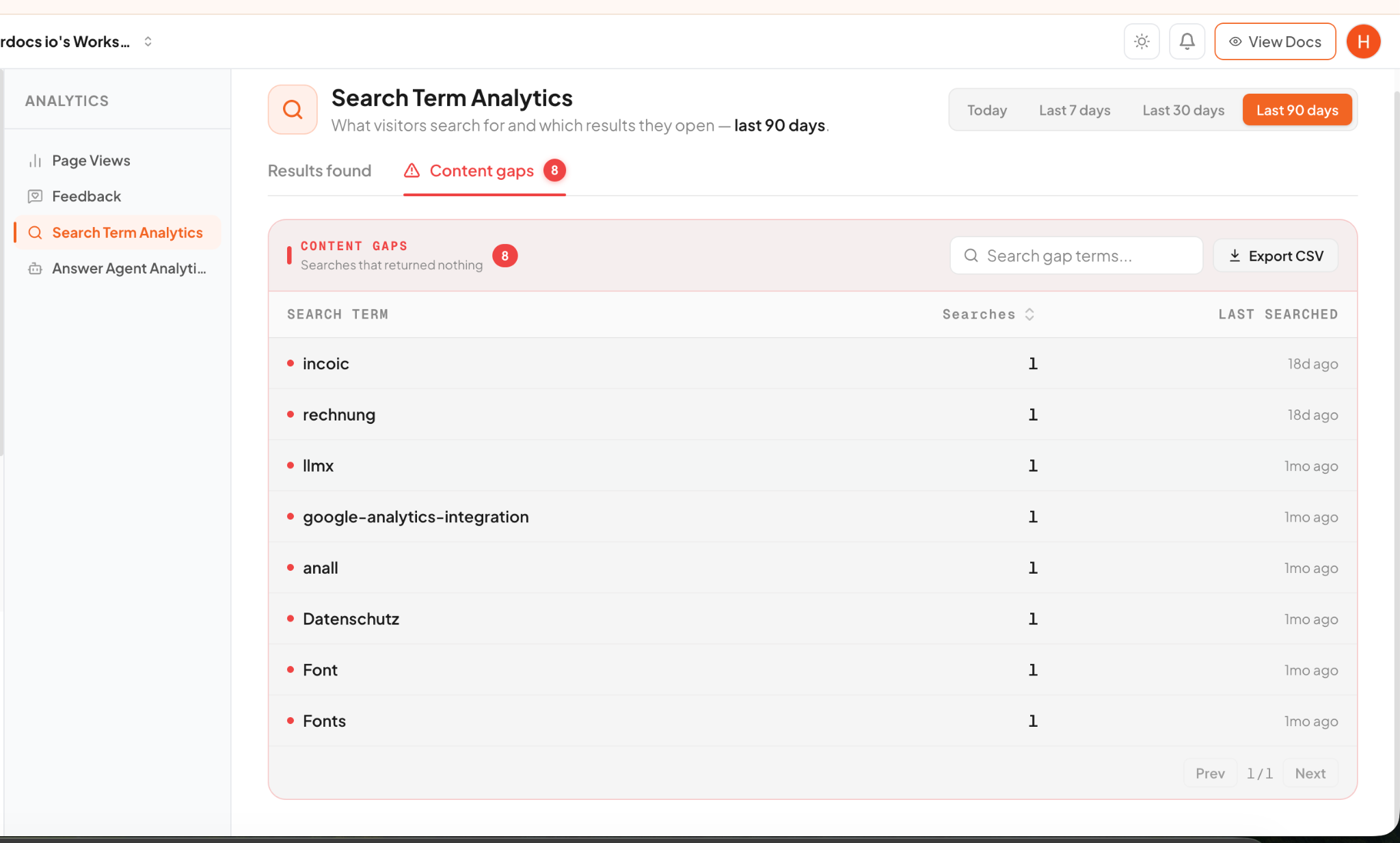
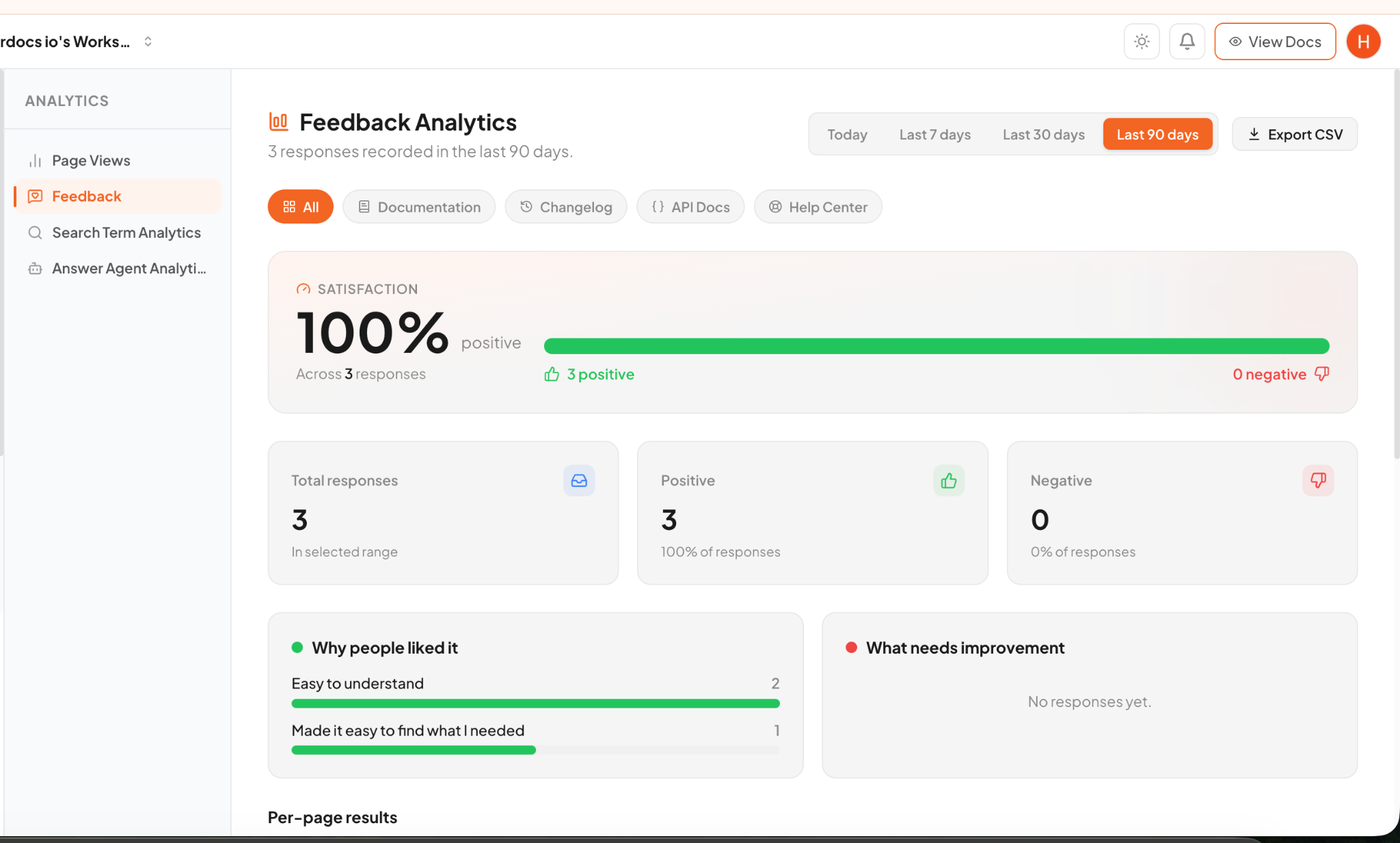
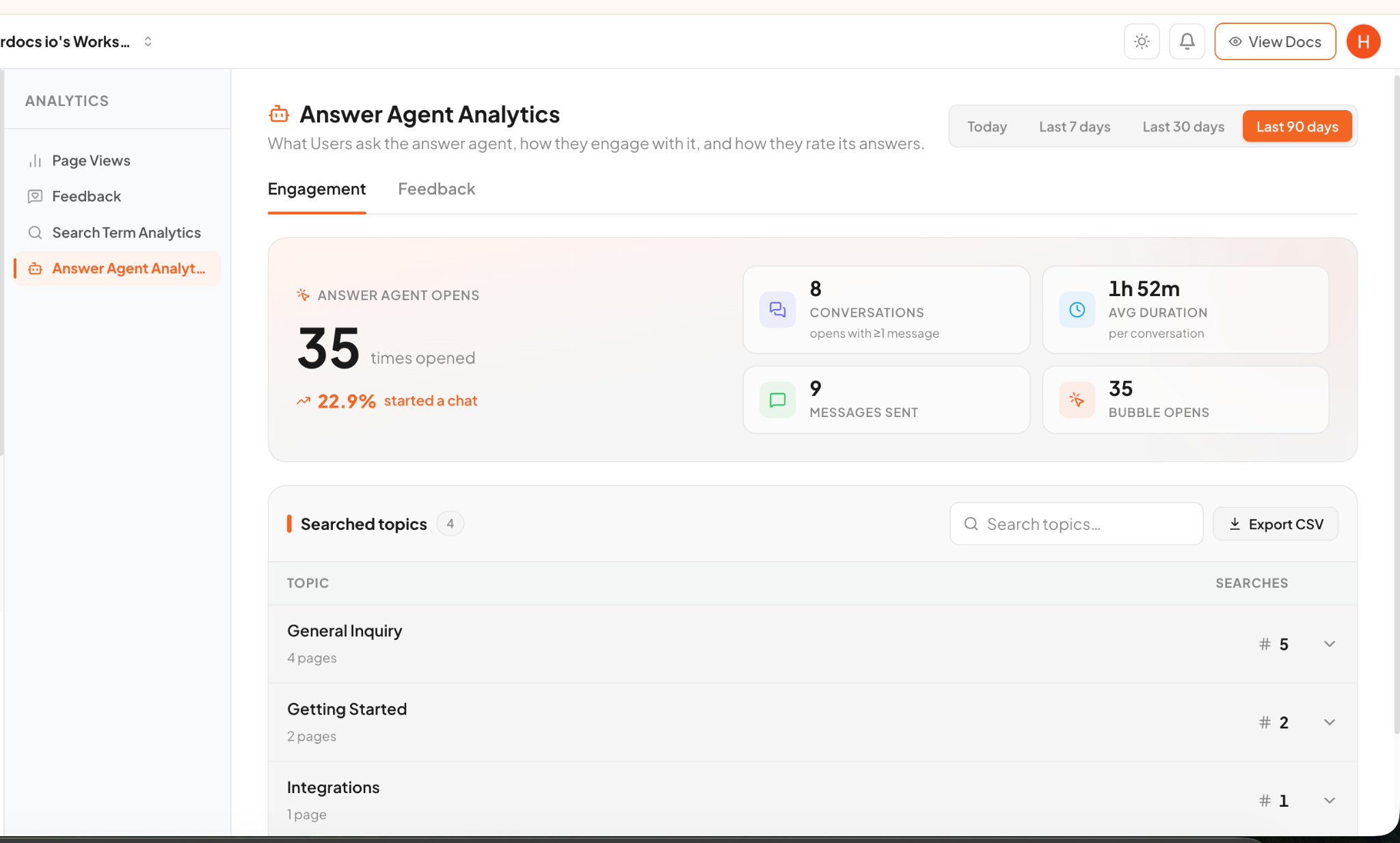
Page views are only the beginning. See what people search for, where searches return nothing, what readers think of a page, and how they use Answer Agent.
Understand the terms visitors use to find help.
Turn zero-result searches into a plan for your next article.
Connect page feedback and Answer Agent questions to the docs that need attention.
BE FOUND. BE USEFUL.
Publish structured docs that readers can navigate, search engines can discover, and AI tools can use as a source. Give connected tools a route into your documentation with MCP.
Use clear page structure and metadata to make public documentation easier to find.
Make key answers available in the docs where answer engines can discover them.
Connect compatible AI tools to your documentation so they can work with your content.
YOUR BRAND, EVERY LANGUAGE
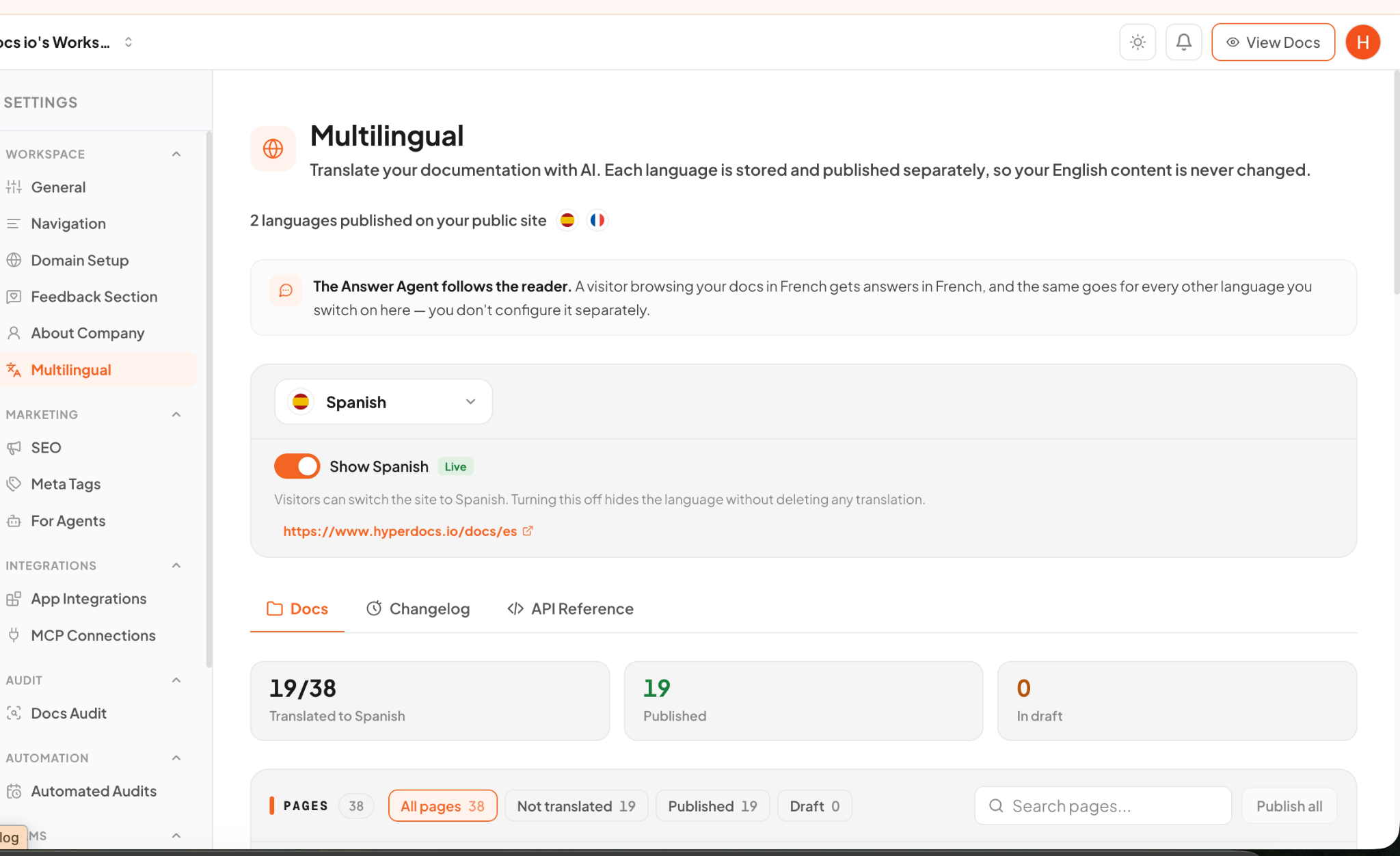
Publish on your domain, customize the experience around your brand, and translate pages for the people reading them. Answer Agent follows the language your visitor chooses.
PRIVACY & CONTROL
Connect your repository securely, review proposed changes, and decide what to publish. Hyperdocs uses read-only access to your code and keeps publication in your hands.
Code is processed in memory while docs are generated and discarded afterward. Hyperdocs does not read repository secrets or use your code to train AI models. You can sync updates after a push or PR merge, then review what goes live.
MORE TO EXPLORE
From better discovery to better feedback, these tools help you keep documentation useful after it goes live.
Give public pages a clear structure and useful metadata.
Make answers easier for AI tools to discover and reference.
See what users look for, find, and cannot find.
Publish documentation on a URL that belongs to your product.
Match your docs to your logo, navigation, and style.
Use reader feedback and unanswered searches to guide updates.
FAQ
Start with what you need. Expand as your product and team grow.
Ask us a question ↗Product documentation, help center articles, API references, and changelog updates. You can add Answer Agent to help visitors find answers in those docs.
No. You can write with the editor or bring existing documentation into Hyperdocs. Connect GitHub when you want code-informed drafting or change tracking.
Yes. Docs Agent can help you write and edit documentation directly. GitHub Sync and Docs Audit offer additional ways to spot updates when you need them.
Yes. Docs Audit can be run manually or scheduled to check documentation against changes in the connected repository.
It answers questions using your published documentation. As more customers ask the same questions, they can get help in the docs and your team can use feedback to improve missing answers.
Yes. You can translate and publish documentation in multiple languages. Readers can switch languages, and Answer Agent follows their chosen language.
MAKE DOCUMENTATION PART OF THE PRODUCT
Bring product knowledge, customer help, and documentation insights into one place.