✦
Changes are easy to ship
A merged pull request can update the product immediately, but the matching documentation task is often invisible.
Hyperdocs connects to GitHub, analyzes every product change, checks whether documentation needs to be updated, and drafts the right content when it does. Your team reviews, approves, and publishes with confidence.
SaaS teams ship quickly. Features evolve, settings move, APIs change, onboarding flows get redesigned, and product language keeps improving. Documentation usually falls behind because someone has to remember what changed, where it was documented, and whether the change matters to users.
A merged pull request can update the product immediately, but the matching documentation task is often invisible.
Instructions, screenshots, examples, and API references become inaccurate without anyone noticing until users complain.
When docs are outdated, customers open tickets, support repeats answers, and product trust slowly erodes.
Teams rely on memory, Slack reminders, release checklists, or developers manually telling someone which docs might need edits.
Hyperdocs analyzes code changes, identifies documentation impact, drafts updates when needed, and keeps review in your team’s hands.
GitHub Sync turns documentation maintenance into a repeatable release workflow. Instead of asking your team to manually inspect every change, Hyperdocs helps decide whether documentation needs attention and prepares the update for review.
Your team ships a feature, improves a workflow, changes configuration, updates an API, or modifies product behavior.
Hyperdocs reviews the change context and checks whether user-facing documentation is likely affected.
If documentation needs attention, Hyperdocs finds the relevant pages or areas that may need edits.
Hyperdocs automatically drafts suggested content updates so your team does not start from scratch.
Accept, edit, or dismiss suggestions before publishing. Nothing goes live without human review.
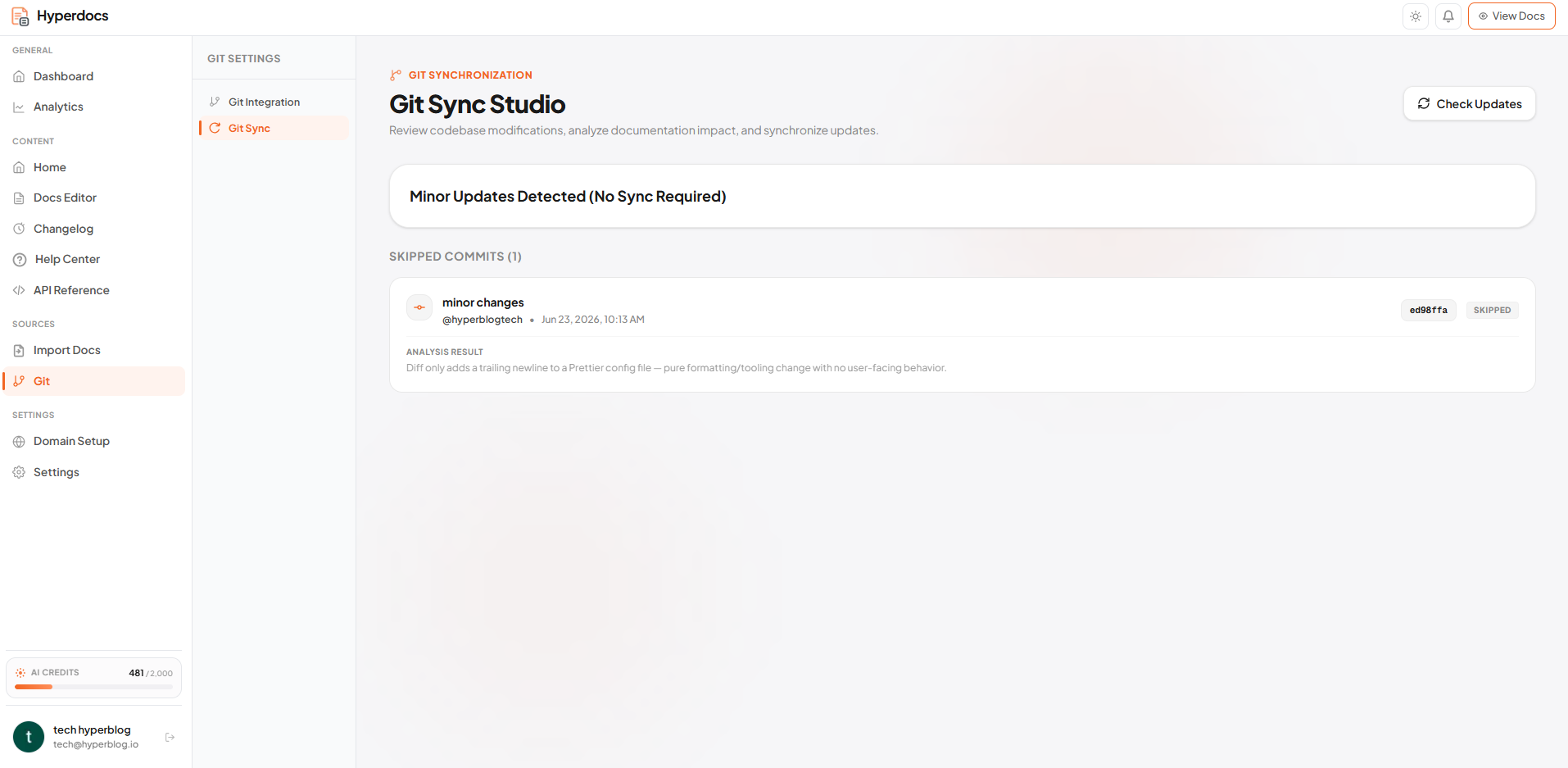
The value is not just generating text. The value is knowing when documentation deserves attention after a product change — and creating the right next step automatically.
A pull request updates product behavior, UI, API, settings, or onboarding.
Hyperdocs analyzes whether the change is documentation-relevant.
Relevant documentation pages are identified for review.
Suggested edits are generated as review-ready documentation updates.
Your team edits, approves, dismisses, and publishes with control.
Hyperdocs is designed to focus attention on changes that can affect users, support teams, product education, onboarding, developer experience, and public documentation.
When a new capability ships, Hyperdocs can help draft the first user-facing explanation and guide.
When a product flow changes, existing step-by-step docs may need new instructions, wording, or structure.
When UI labels, settings, or product terms change, documentation can quickly become misleading.
When endpoints, parameters, responses, or authentication behavior changes, developer-facing docs may need attention.
When setup or integration requirements change, onboarding docs and technical guides may need edits.
When a feature, field, or workflow is removed, outdated documentation should not continue sending users to a dead end.
Documentation quality breaks when updates depend on memory. GitHub Sync gives teams a systematic way to connect product changes with documentation work.
Hyperdocs can draft documentation updates when a change requires it, but it does not remove your team from the process. Product knowledge, customer context, and brand voice still matter.
GitHub Sync is built for the everyday changes that happen inside fast-moving SaaS products — the ones that rarely become a formal documentation ticket until customers start asking questions.
A setting moves from “Plans” to “Subscriptions.” Hyperdocs can detect impacted docs and draft updated instructions.
The setup flow gains a new step. Hyperdocs can identify onboarding docs that need revision.
A response field is renamed. Hyperdocs can flag developer-facing docs that may need updates.
A beta feature becomes part of the core product. Hyperdocs can help turn release context into updated product documentation.
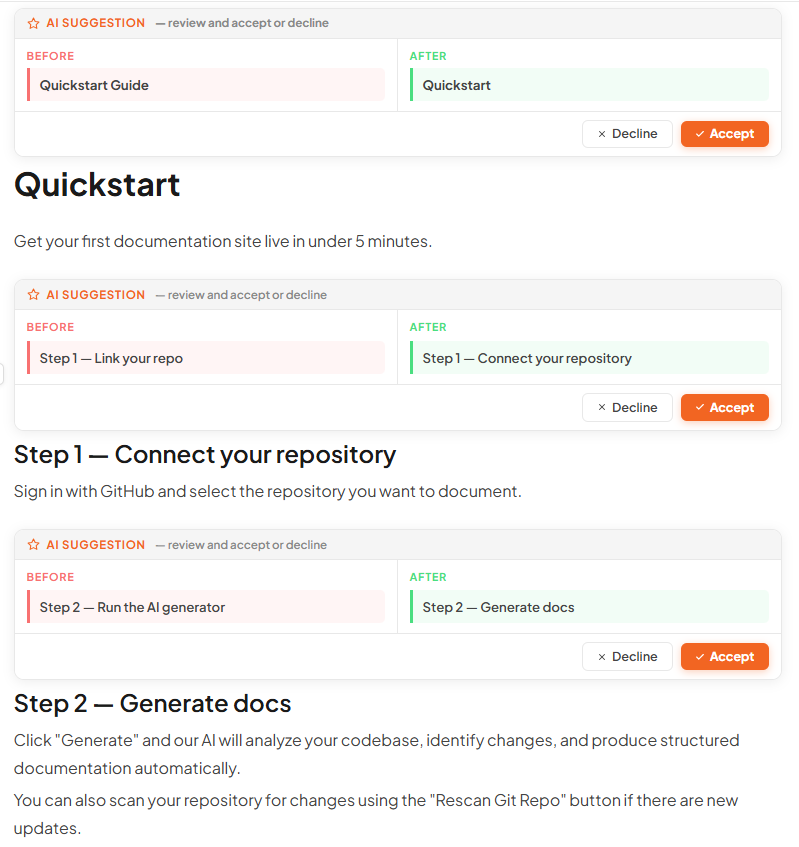
The more your product grows, the harder documentation becomes to manage manually. GitHub Sync gives teams a repeatable system instead of relying on release notes, memory, and scattered follow-ups.
Avoid letting early documentation become stale as product velocity increases.
Keep user-facing docs aligned with features, workflows, and product language.
Reduce manual documentation handoffs without losing review control.
Reduce repeated tickets caused by outdated instructions and missing updates.
GitHub Sync becomes more valuable when documentation lives in one workspace. A product update may require changes across multiple documentation surfaces — not just a single page.
Keep feature guides, setup docs, and onboarding pages aligned with shipped product behavior.
Update answer articles when product flows, settings, or troubleshooting steps change.
Identify technical documentation that may need revisions after API behavior changes.
Use product changes as a clearer starting point for customer-facing release communication.
GitHub Sync connects Hyperdocs to your repository so product and code changes can be analyzed for documentation impact. When docs need updates, Hyperdocs drafts suggested changes for your team to review.
Hyperdocs can draft updates automatically, but it does not publish them without your team’s review. You can accept, edit, dismiss, or approve suggestions before anything goes live.
Not every code change is documentation-relevant. Hyperdocs is designed to analyze whether a change likely affects user-facing documentation so your team avoids unnecessary documentation work.
Yes. GitHub Sync is useful after your documentation exists. Hyperdocs can help identify when existing pages need updates because the product has changed.
Yes. Code to Docs helps create initial documentation drafts from a repository. GitHub Sync helps maintain documentation over time by analyzing future product changes and drafting updates when needed.
GitHub Sync can support product documentation, help center articles, API documentation, technical guides, and changelog-related workflows when product changes affect user-facing content.
No. Suggestions remain under team control. Hyperdocs helps prepare documentation work, but your team decides what is accurate, what needs editing, and what should be published.
GitHub Sync is useful for SaaS teams that ship frequently and need documentation to keep up with product changes. It is especially valuable for founders, product teams, engineering teams, support teams, customer success teams, and documentation owners.
Connect GitHub, let Hyperdocs analyze product changes, draft documentation updates when needed, and keep your team in control before publishing.