✦
Broken links & SEO loss
Manually moving files leads to broken internal links, lost SEO indexing, and missing redirects that frustrate users.
Move your existing documentation into Hyperdocs without rebuilding from scratch. Import docs in minutes, preserve structure, redirect links, and continue improving your docs inside one modern documentation workspace.
Moving to a better documentation platform shouldn't mean losing years of content, broken links, or spending weeks manually copying pages. Hyperdocs helps you import your documentation smoothly so you can upgrade your docs experience without starting over.
Manually moving files leads to broken internal links, lost SEO indexing, and missing redirects that frustrate users.
Converting HTML, Zendesk formats, GitBook structures, or custom JSON manually takes hours of formatting cleanup.
Preserving the sidebar order, parent-child page relations, and category structures manually is highly error-prone.
Manually creating category folders, copy-pasting content line-by-line, fixing images, and setting up redirects page by page.
Directly import your source files or connect your space. Hyperdocs preserves hierarchy, cleans up formatting, and keeps links active.
Our migration workflow ensures that you can import your docs, check the content, and publish when ready, without worrying about broken formatting or losing page structure.
Select GitBook, ReadMe, Docusaurus, Zendesk support files, Notion exports, or upload raw Markdown.
Hyperdocs automatically parses the markdown, extracts assets, and resolves internal URL references.
Preview the generated documentation tree, adjust page order, and verify internal links inside the workspace.
Connect your custom domain and publish your beautiful, branded documentation site.
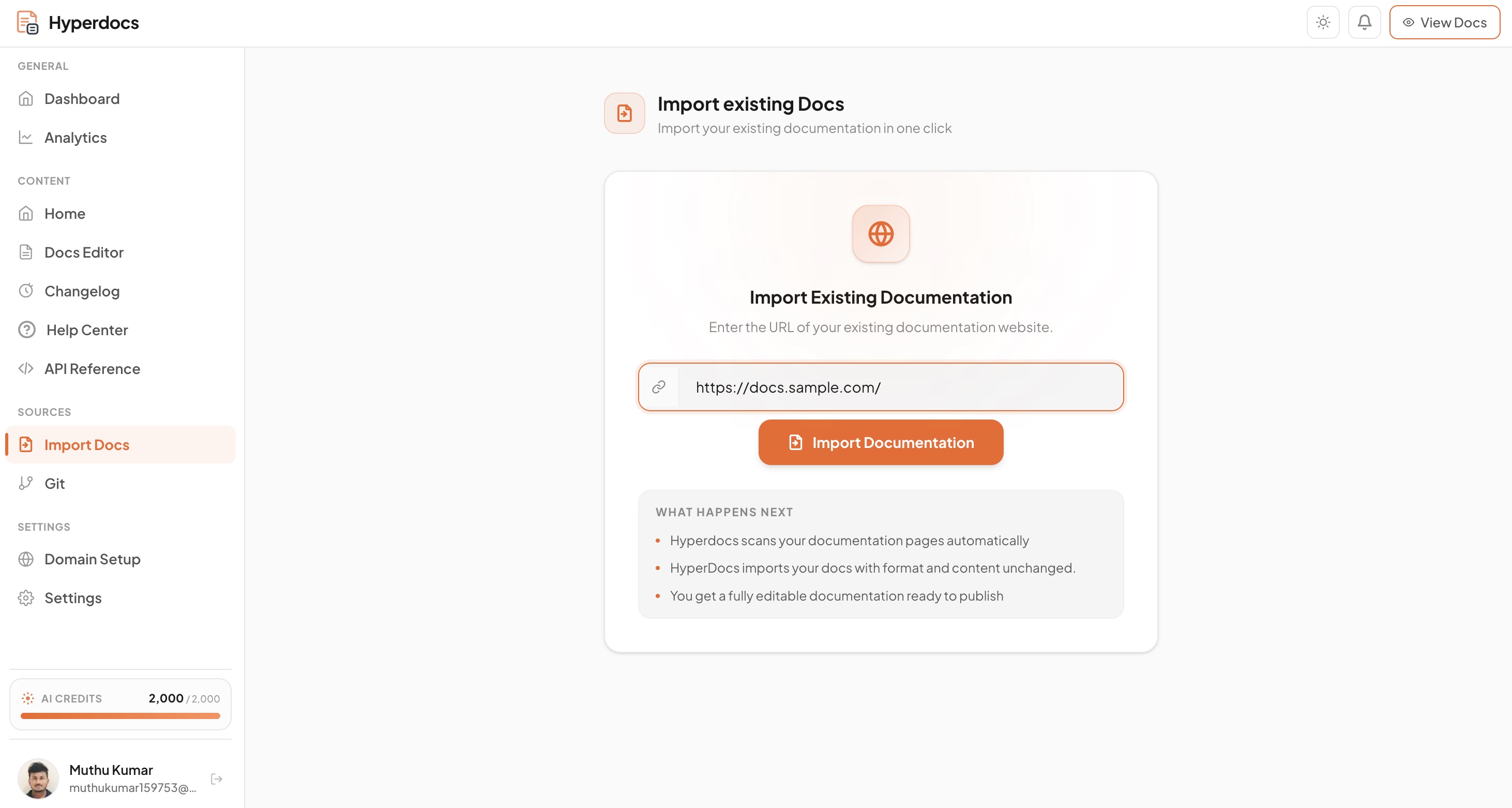
Hyperdocs handles format conversions automatically so you don't have to manually clean up your content.
Import your GitBook hierarchy, sections, pages, external links, and assets in just a few clicks.
Migrate developer-facing documents, user guides, API articles, and custom markdown content cleanly.
Convert help center articles and support categories into a unified Hyperdocs help workspace.
Move Markdown-based Docusaurus setups without maintaining complex configurations or node packages.
Import exported Notion pages and transform database records into public, readable documentation pages.
Upload zip archives of raw markdown files, images, frontmatter, and sidebar structure configuration.
You can import documentation from GitBook, Zendesk, ReadMe, Docusaurus, Notion, or raw Markdown folders. If you have custom HTML or JSON docs, our team can help you migrate.
No. Hyperdocs supports path aliases and redirects so you can preserve your current URL structure and maintain your SEO rankings.
Yes. When importing Markdown or zip archives, referenced images are uploaded and hosted on our CDN automatically.
Yes. All imports are created as drafts inside your workspace. You can edit, restructure, and preview them before publishing.
No. You can migrate documentation sites of any size. Hyperdocs handles large-scale documentation trees efficiently.
Migrate your existing documentation, preserve your formatting, and start editing inside a unified documentation workspace.